If you've searched for how to play chess online with a friend, you've probably hit the same wall: most sites are great for finding a random opponent, but when you want to play someone you actually know, they usually insist both of you create an account first. That means email addresses, passwords, verification links, and friend requests. That's a lot of friction for what should be a two-minute casual setup.
ChessRooms was built to remove that headache. There is no account creation, no app download, and no personal data needed. You simply create a private room, copy your invite link, and send it to your opponent. Within seconds, both of you are playing on a live, responsive chessboard. Whether you are catching up with a friend across the country or want to play chess online with friends free no sign up, here is exactly how it works.
The Usual Friction With Playing Chess Online
Most major chess platforms online are engineered around competitive matchmaking ladders and formal rating systems. While that is great if you want a random opponent, it gets in the way when your only goal is playing a casual match with someone you know.
The typical workflow on traditional sites is tedious: both players must register, verify emails, log in, search for usernames, send a challenge, and wait for notifications. If one person forgets their password or doesn't have an account, the game usually gets postponed or abandoned entirely. For a spontaneous game of chess with friends, that overhead ruins the fun before a single pawn is pushed.
A link-based, zero-registration model flips this dynamic completely. By treating a chess room like a shared video call link, anyone can initiate a match instantly from any modern web browser.
How to Play Chess Online With a Friend, Step by Step
Starting a private game on ChessRooms takes under thirty seconds. Here is the step-by-step walkthrough to get your game up and running with no account needed:
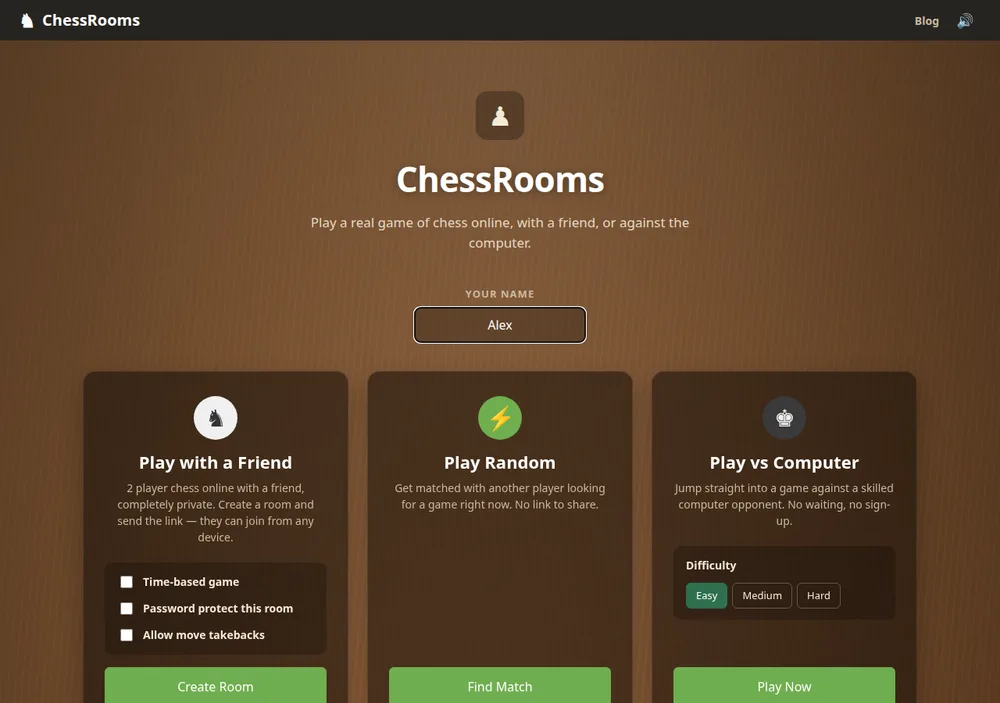
- Enter a display name on the homepage. Navigate to ChessRooms and type whatever name you want your friend to see during the match. Because there are no accounts, you never have to worry about taken usernames or forgotten passwords. Your name is saved only for the active session.
- Customize your game settings. Under the "Play with a Friend" card, you can configure your match before creating the room. Choose whether to play untimed or with 5, 10, 15, or 20-minute clocks for blitz or rapid chess. You can also toggle move takebacks on for relaxed play, or set an optional room password so only your opponent can enter.
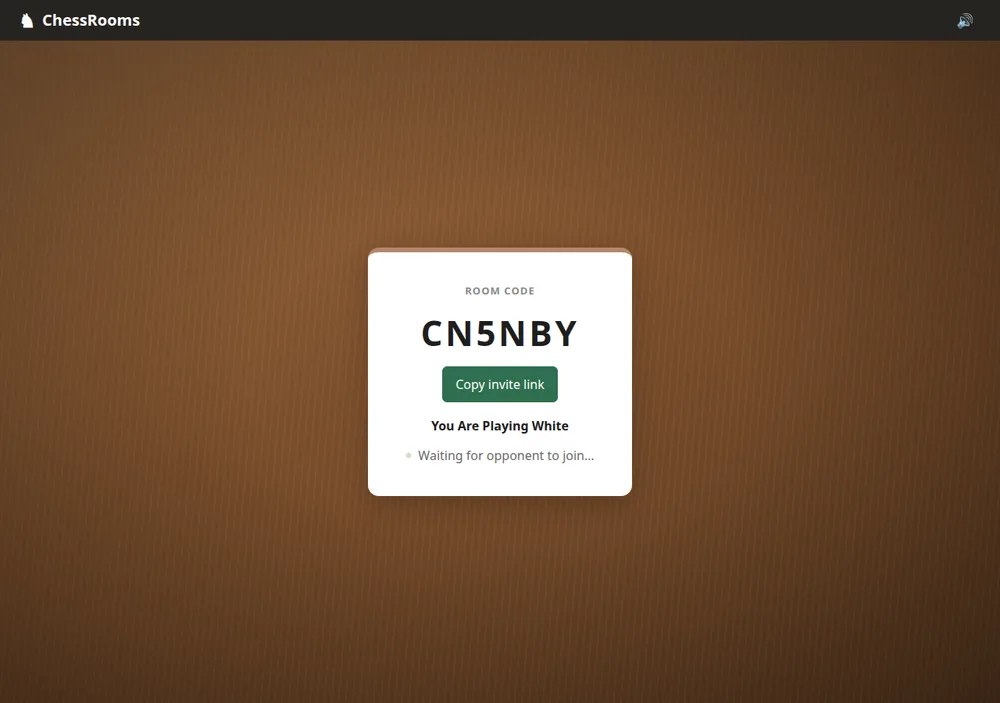
- Generate your private chess 1v1 link. Click the green "Create Room" button. ChessRooms immediately generates a private game room with a unique code. You will see a waiting screen with your color assignment and a "Copy invite link" button.
- Send the invite link to your friend. Copy your link and paste it into whatever messaging channel you use: WhatsApp, Discord, Slack, iMessage, SMS, or email. If you set a password, share that as well. There is nothing for your friend to install, as it opens directly in their browser.
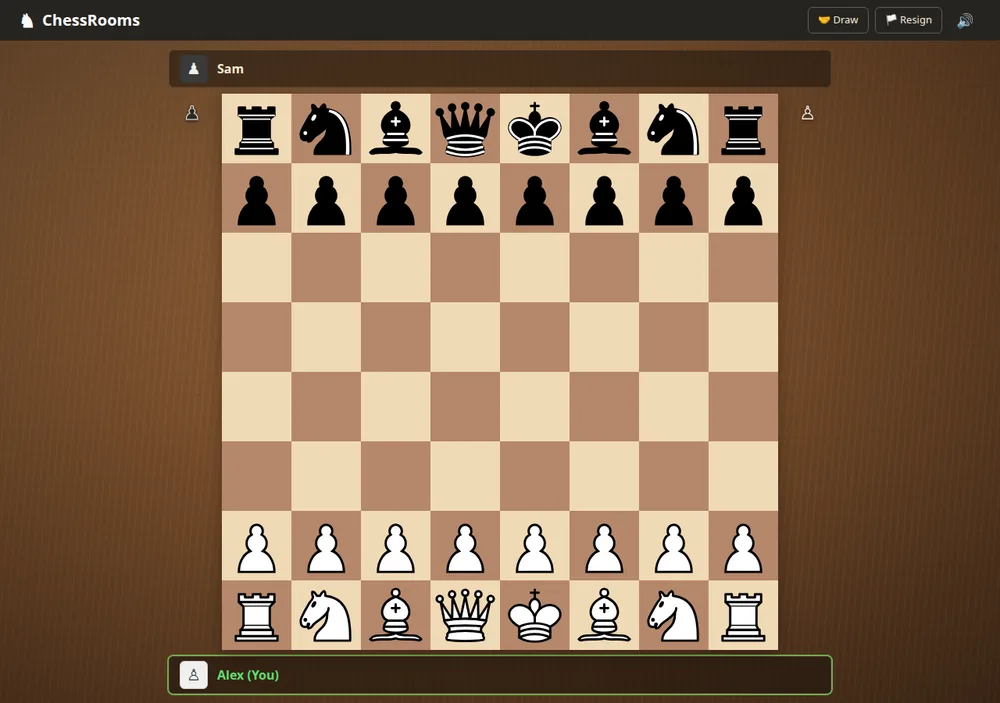
- Start playing instantly. As soon as your friend clicks the link, enters a name, and joins, the board loads for both of you in real time over WebSockets. Legal moves highlight when you tap a piece, captured pieces are tracked automatically along the rail, and clocks count down seamlessly.
Features Built Specifically for Friendly Games
Because ChessRooms is designed for people who know each other rather than anonymous ladder grinding, several features make casual games smooth:
- Private by default: The game room is completely unlisted. There is no global public lobby where strangers can join your game. Only someone with your exact link can enter.
- Instant rematching with "Play again": When a match finishes, neither of you needs to generate a new room. Either player can click "Play again" to flip colors and reset the board immediately.
- Live spectator mode: If another friend or coworker wants to watch, anyone who opens your chess 1v1 link after both player seats are filled joins automatically as a spectator in real time.
- Takebacks and draw offers: If a friend makes an accidental mouse slip, you can accept a takeback with a single click. You can also offer a sporting draw or resign at any time.
- Full mobile support: The chessboard is fully responsive and touch-friendly. You can play on a smartphone while your opponent plays on a desktop.
Practical Tips for Playing Better Games With Friends
Whether you are playing a friendly rivalry or teaching someone the ropes, keeping a few fundamental chess principles in mind makes every match much more rewarding.
First, prioritize piece development and central control. Rather than making random pawn moves on the flank, bring knights and bishops into the action early. If you want a solid foundation, reviewing 5 chess openings every beginner should learn, such as the Italian Game or the reliable London System, will give you dependable setups that keep your king safe and control key central squares.
Second, stay alert for game-ending tactics. Many casual games between friends are decided by sudden blunders rather than slow positional play. Studying fundamental checkmate patterns every player should know, including back rank mates and basic king-and-rook endgames, gives you the tools to finish off games cleanly.
Finally, build disciplined playing habits. Our guide to 10 chess tips to improve your game fast, like checking your opponent's threats before every move and castling early, will quickly elevate the quality of your matches.
When a Link-Based Chess Game Is the Best Choice
This style of no-registration gameplay is ideal for relaxed social matches. It is a natural choice for long-distance friends catching up over a call, coworkers taking a coffee break, families in different cities, or mentors teaching beginners without dealing with password resets and activation screens.
Platforms with full accounts remain useful if you want to track an official rating over hundreds of matches. But when you just want to sit down and play chess online with a friend right now, a private chess 1v1 link is the cleanest and fastest way to play.
Frequently Asked Questions
Do I need an account to play chess with a friend?
No. Neither you nor your friend needs to create an account, register an email address, or set a password. All you need is a display name for the session, and you can begin playing immediately.
Can I play on mobile?
Yes. ChessRooms is a fully responsive web application that runs smoothly in any smartphone or tablet browser, including Chrome, Safari, and Firefox on iOS and Android. No app download is necessary.
Is ChessRooms free?
Yes, 100% free with no hidden fees, paid tiers, or subscriptions. It is also completely ad-free, ensuring an uncluttered, distraction-free board.
Can I play with a friend in another country?
Yes. ChessRooms uses real-time WebSockets to synchronize moves instantly across the globe. As long as both players have an active internet connection, you can play chess online with a friend anywhere in the world.
How many people can join a room?
Each room supports two active players (one White and one Black). Any additional friends or family members who open the room link will automatically join as live spectators to follow the match in real time.
Can I play against the computer?
Yes. If your friend is busy or offline, you can practice against our built-in computer opponent powered by Stockfish at Easy, Medium, or Hard difficulty levels, also completely free with no registration required.
Ready to play chess online with a friend?
Create a private room in seconds and share the link. Free, instant, and no sign-up or download needed.
Friend not online? You can also practice vs the computer or play against a random opponent.
Support the Developer
ChessRooms is independently built and maintained by developer Zeerak Nouman. If you enjoy our guides and instant online games, consider supporting development and server hosting.